Global Search
Searching for content using the global search box in the top navigation allows you to search all MyExperian content. This search will search knowledge content, personal files and cases.
Search Results
Main page
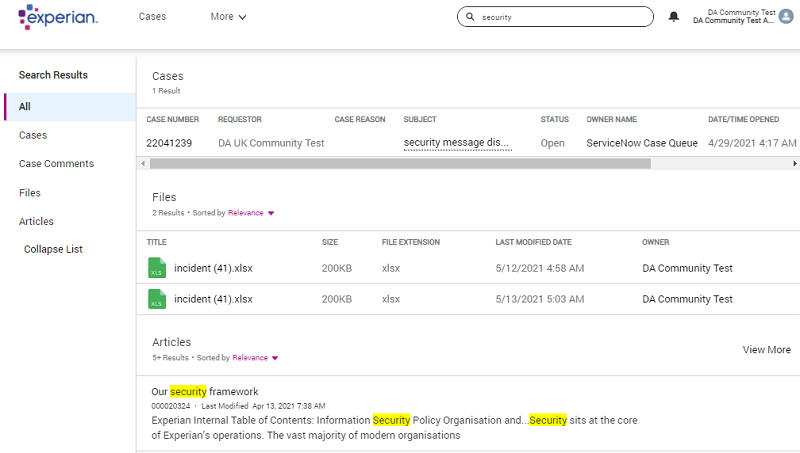
Performing a search will produce a list of results categorised into the following groups:
- Cases
- Case Comments
- Files
- Articles
In the example below, a global search for security has produced a list of categorised results.
Right-hand menu
The global search results page also has a right-hand menu which allows you to filter your results by category, as detailed in the following table.
| Filter option | Description |
|---|---|
| All | The default setting. This displays the full list of results. |
| Cases | Allows you to filter the list by Cases. Selecting Cases provides additional filter options, allowing you to refine your search by:
|
| Case Comments | Allows you to filter by comments made on your cases. |
| Files | Allows you to filter the list by Files. Selecting Files provides additional filter options, allowing you to refine your search by:
|
| Articles | Allows you to filter the list by Articles. |